Text messages from Bookrun
Bookrun is software made by Outwith Studio LLC. Independent, self-employed businesses (dog groomers, mobile detailers, house cleaners, landscapers and similar trades) use it to quote work, book it and invoice for it. Text messages are sent on behalf of the business you asked for a quote, about your job, and always name that business.
Program description
If you asked a business that uses Bookrun for a quote and agreed to texts, you may receive these messages about your job:
- a link to the quote you asked for;
- one follow-up if that quote hasn't been answered;
- confirmation that your deposit was received and your booking is held;
- a reminder the day before scheduled work;
- a link to pay the invoice for completed work;
- one reminder if that invoice is still unpaid.
Messages are transactional only. There is no marketing or promotional texting, no bulk sending, and no purchased or third-party lists. Businesses can't write or send their own messages through Bookrun: every message is a fixed template, sent automatically when something happens on your job.
| Program | Bookrun job updates, sent on behalf of the business you asked for a quote. |
|---|---|
| Message frequency | Varies with your job. Typically 3 to 6 messages per job. |
| Cost | Message and data rates may apply. Bookrun and the business don't charge you for messages. |
| To stop | Reply STOP to any message. You'll get one confirmation, then no further messages from that number. |
| For help | Reply HELP, or email help@bookrun.app. |
| Carriers | Mobile carriers are not liable for delayed or undelivered messages. |
How consent is collected
A phone number gets consent in Bookrun in one of three ways. Each is recorded with the date and how it was given, and every change is kept in a history that can't be edited.
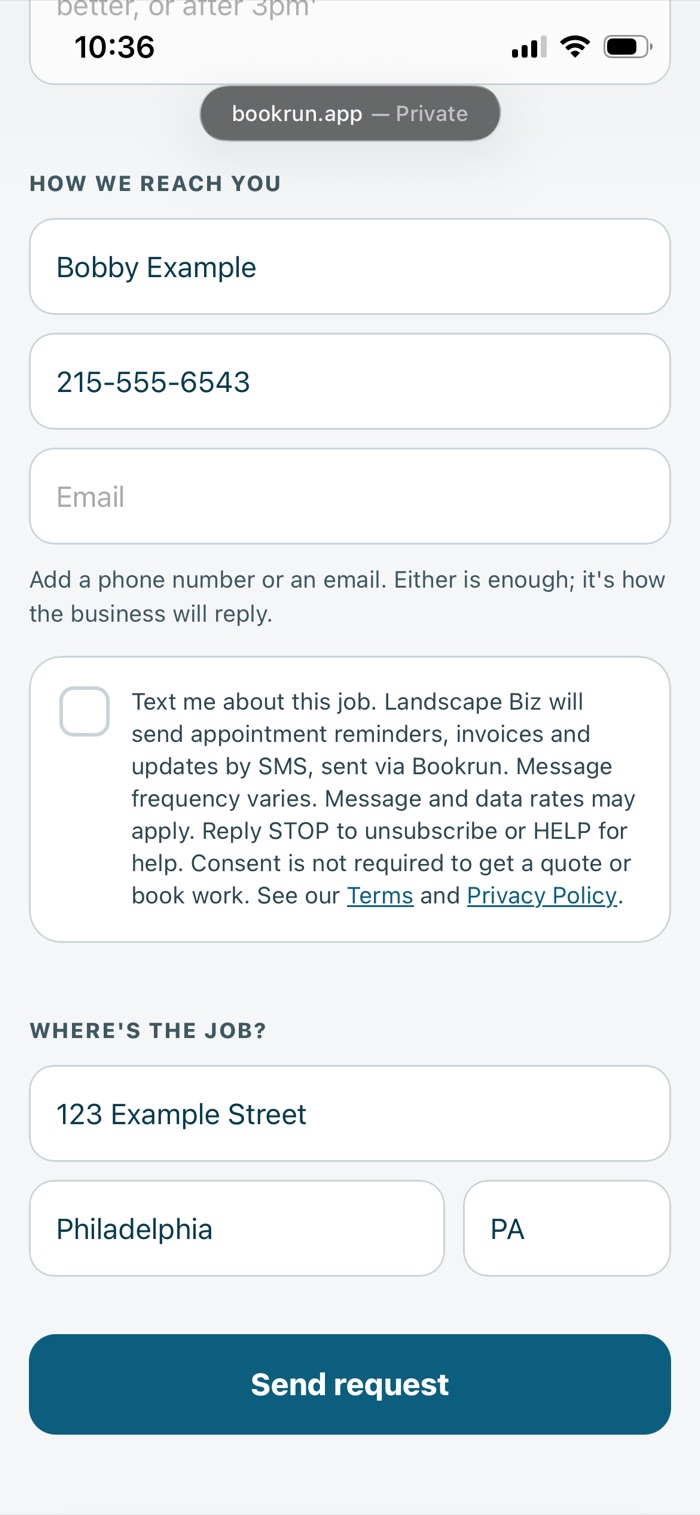
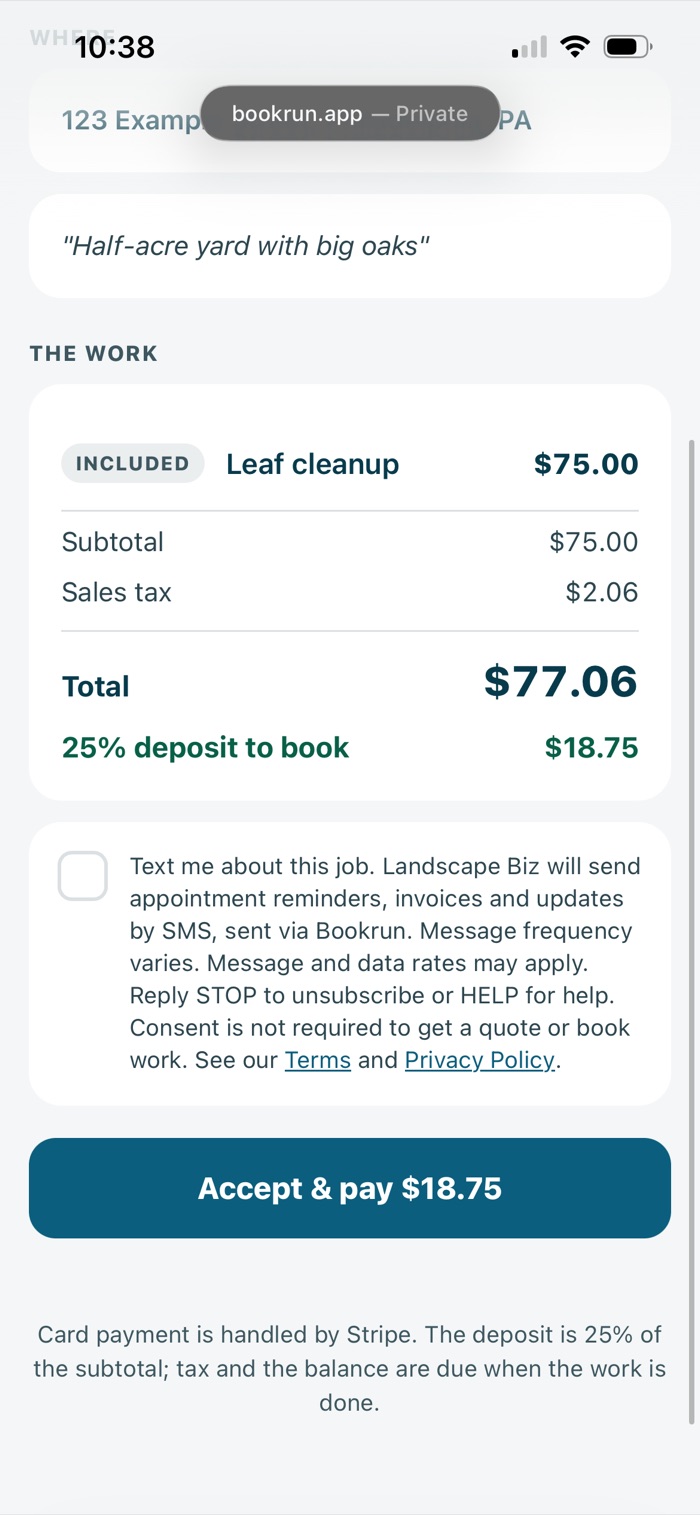
On both web pages below, the box sits next to this exact wording, unticked until you tick it:
Text me about this job. [Business name] will send appointment reminders, invoices and updates by SMS, sent via Bookrun. Message frequency varies. Message and data rates may apply. Reply STOP to unsubscribe or HELP for help. Consent is not required to get a quote or book work. See our Terms and Privacy Policy.
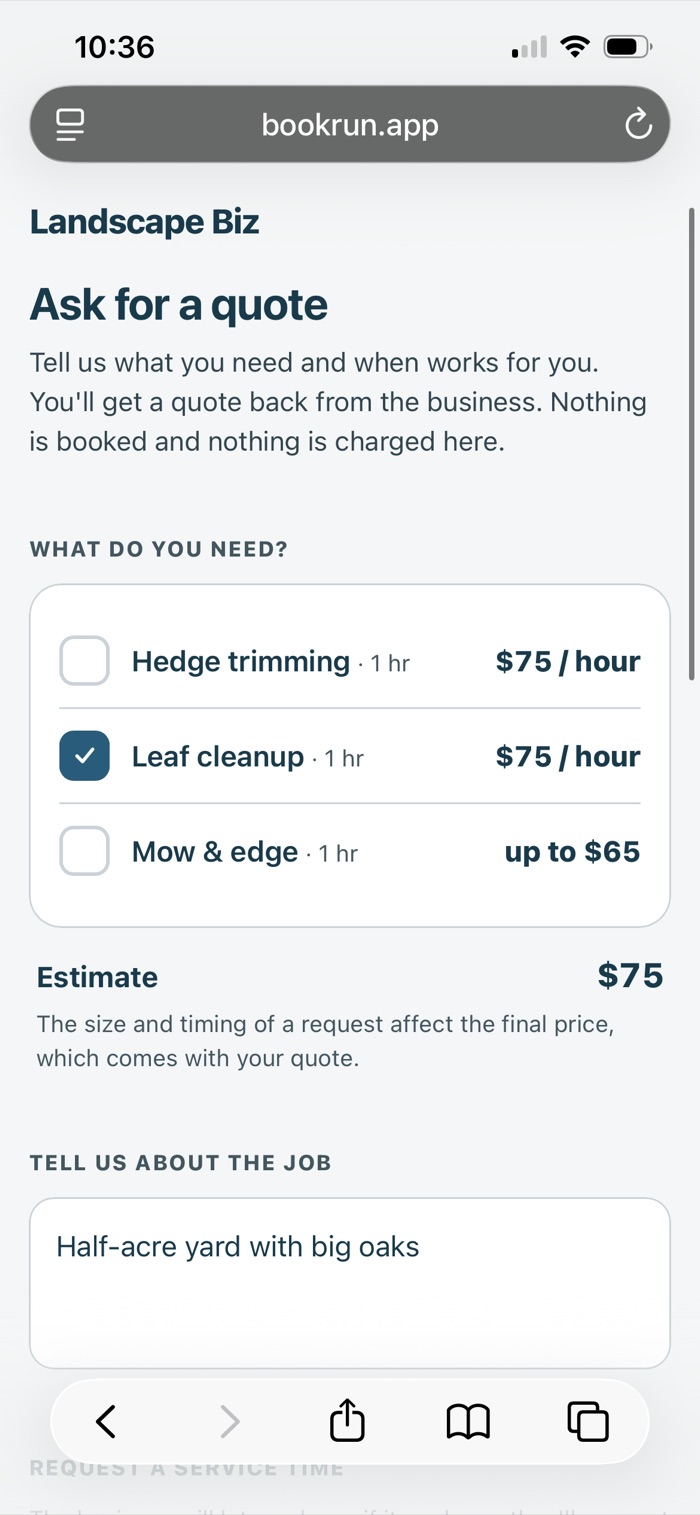
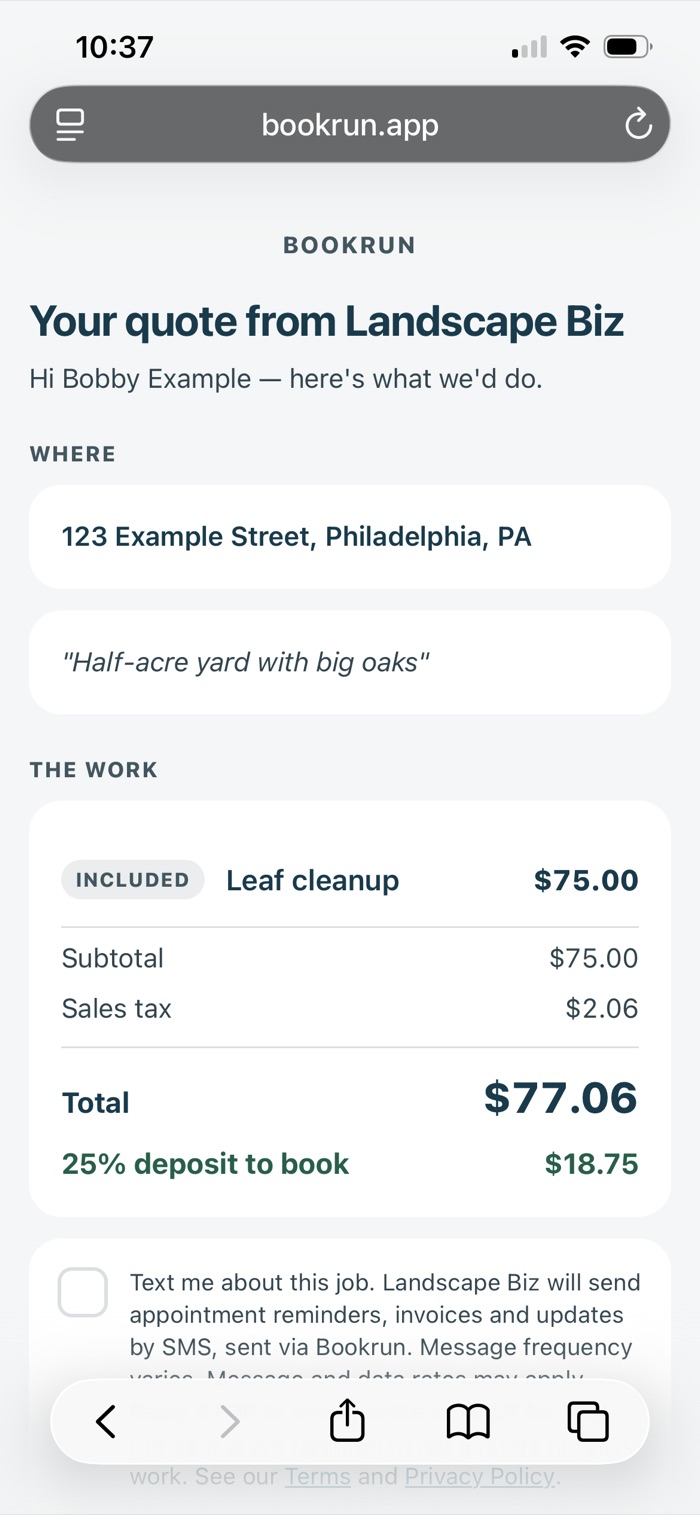
The screenshots below show a sample business, Landscape Biz, and sample customer details. Select a screenshot to open it full size.
1. You tick the box when you ask for a quote
Each business has a public request page at bookrun.app/r/[business], linked
from their own website or social profiles. You choose the work, add your contact details,
and can tick the box to agree to texts. Sending a request without ticking it is fine: the
business replies by email or calls you instead.
2. You tick the box on your quote
Every quote is a web page you open from a link the business sent you. If you haven't already agreed to texts, the same box sits above the accept button, unticked.
3. You tell the business directly
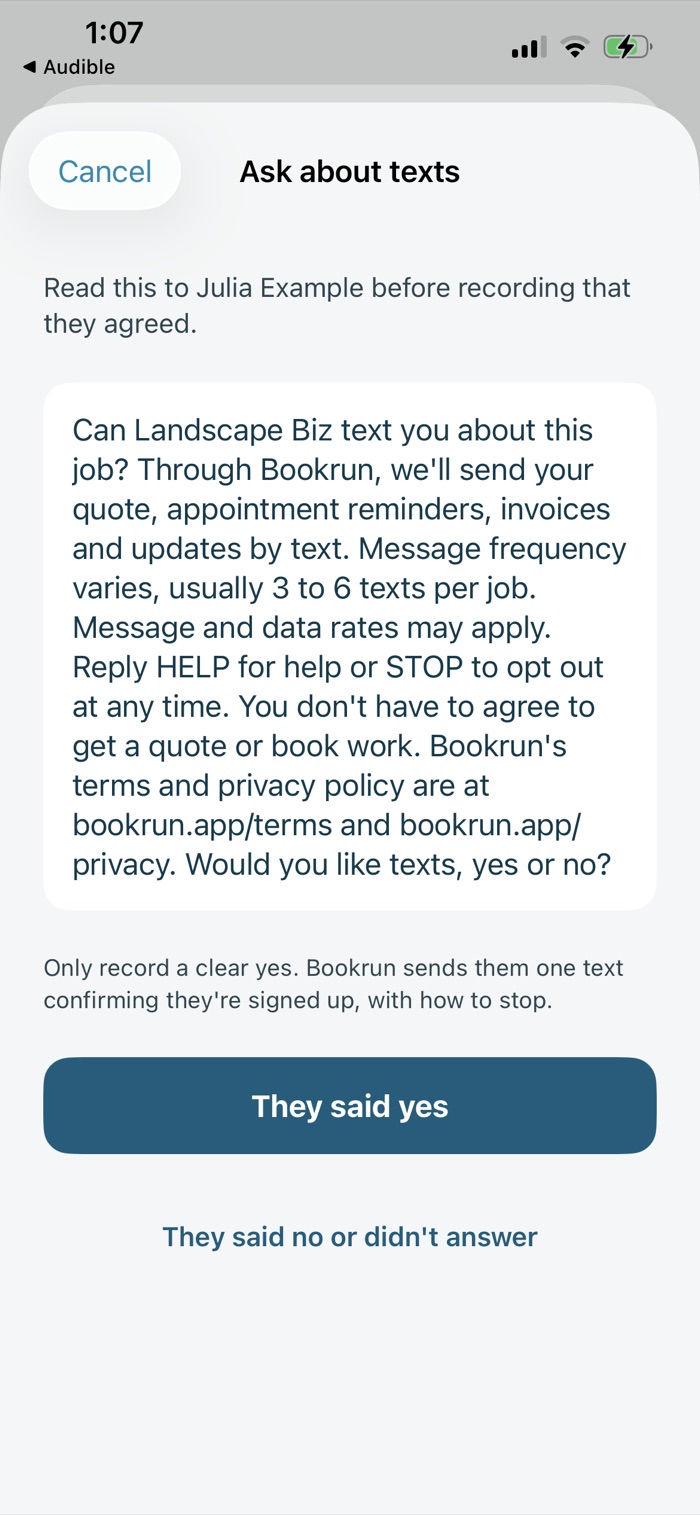
If you give a business your number in person or over the phone, they can ask whether you'd like texts about your job. Before recording a yes, the business reads you this:
“Can [Business name] text you about this job? Through Bookrun, we'll send your quote, appointment reminders, invoices and updates by text. Message frequency varies, usually 3 to 6 texts per job. Message and data rates may apply. Reply HELP for help or STOP to opt out at any time. You don't have to agree to get a quote or book work. Bookrun's terms and privacy policy are at bookrun.app/terms and bookrun.app/privacy. Would you like texts, yes or no?”
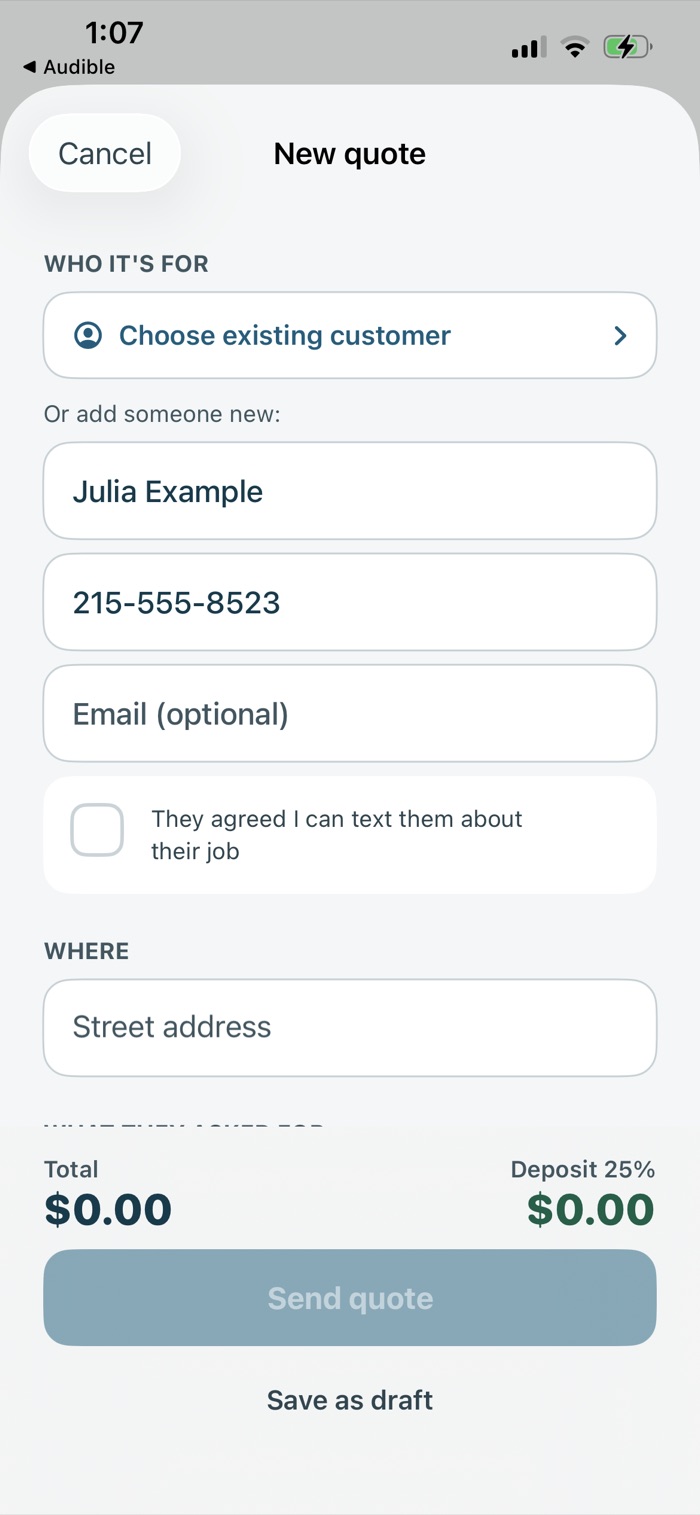
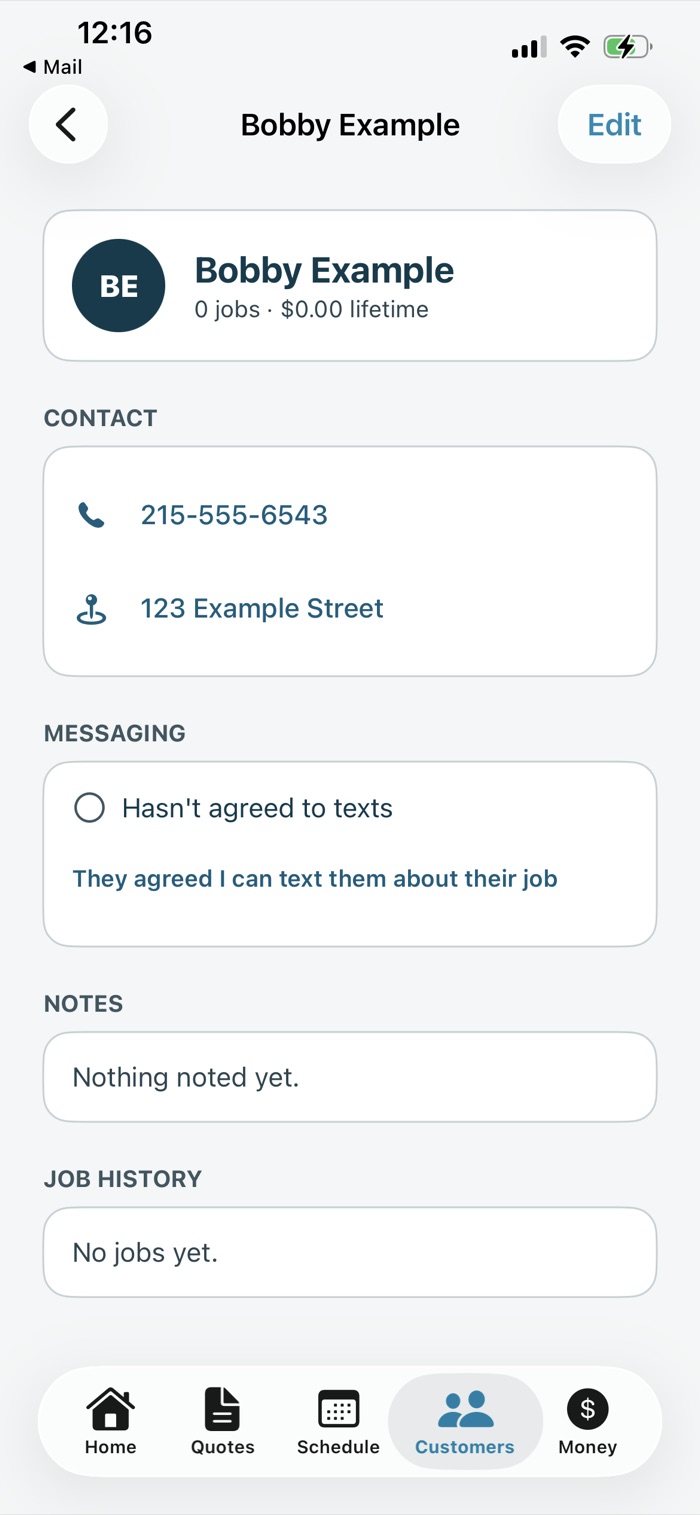
The business records your answer in the Bookrun app. The checkbox is unticked by default. Ticking it, or tapping the same option on your customer record, opens this script on the business's screen, and your consent is saved only when they tap They said yes. It's stored as their statement that you agreed, with the date. If you say no, or nothing, they leave it unticked and you aren't texted.
Bookrun then texts you once to confirm:
[Business name] via Bookrun: You're signed up for texts about your job with [Business name]. Message frequency varies. Message and data rates may apply. Reply HELP for help. Reply STOP to opt out.
Stopping messages
Reply STOP (or STOPALL, END, QUIT, CANCEL, UNSUBSCRIBE) to any message. You'll get one confirmation, and no further messages from that number. We also record the opt-out on your customer record, so nothing is queued for you again. You don't have to ask the business.
You can also tell the business you no longer want texts, and they can record that in the app.
Opting back in
Only something you do turns texts back on:
- If you replied STOP, reply START to the same number.
- If you told the business to stop, tick the box on a later quote they send you, or tell them you'd like texts again.
Ticking the box on a request page after you've opted out doesn't turn texts back on by itself. The business is asked to check with you first.
Messages outside Bookrun
Many businesses also text from their own phone. Those messages don't go through Bookrun, and replying STOP to them doesn't affect Bookrun messages, or the other way round. Bookrun has no part in or control over messages sent outside its system.
What we do with your number
It's held for the business you asked for a quote, so they can contact you about your job. Mobile numbers and SMS consent are never sold or shared with third parties or affiliates for marketing or promotional purposes. Full detail in the Privacy Policy.
Contact
Outwith Studio LLC, d/b/a Bookrun1909 Webster Street, Philadelphia, PA 19146
help@bookrun.app